

In the nonprofit sector, a website is rarely just a digital brochure. It is a donation portal, a resource library, and the primary touchpoint for community engagement. Yet many organizations struggle with “legacy debt” — outdated systems that hinder rather than help their mission.
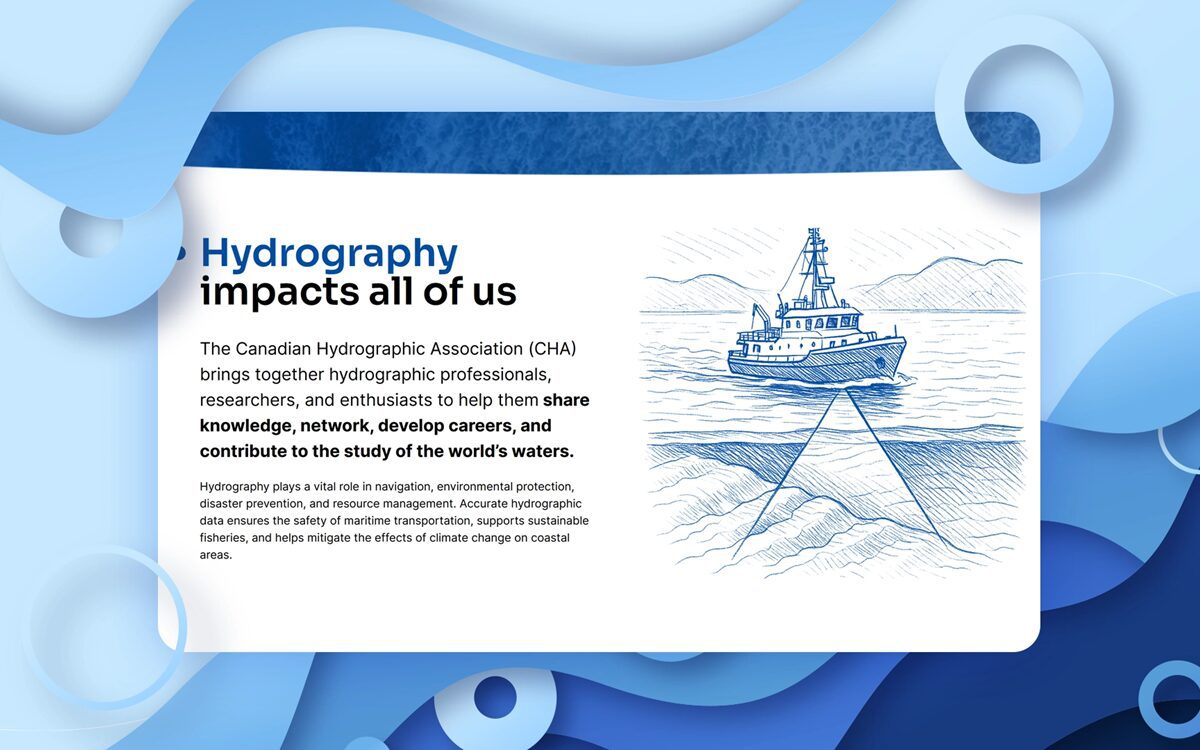
When the Canadian Hydrographic Association (CHA) approached Pragmatica, they faced a classic nonprofit challenge: a specialized, member-based organization needing a modern digital home that could handle complex workflows while remaining user-friendly for a lean team.
The CHA is the national voice for hydrography professionals in Canada — the scientists and engineers who survey and chart Canadian waters, from the Great Lakes to the Arctic. Their work underpins marine navigation, environmental monitoring, and public safety across the country. Their existing digital presence did not reflect that leadership.
The challenge: Beyond the surface
The CHA’s legacy website was fragmented. To better serve their members and the broader scientific community, they needed a centralized hub that could manage memberships, archive technical journals, and facilitate national communication — all without requiring a full-time IT department to maintain it.
For most nonprofits, the pain points are universal:
- Security: Protecting member data.
- Scalability: Can the site grow as the mission expands?
- Usability: Can a nontechnical volunteer update a blog post?
The strategy: Building for sustainability
When we began the CHA project, we focused on a “Sustainability First” architecture. In the nonprofit world, a website that is too expensive or too complex to maintain is a liability, not an asset.
We did not start with code. We started with conversations. Through stakeholder workshops, we identified that CHA needed a robust members-only zone. By automating the membership renewal process and digitalizing their technical publications archive, we moved the organization from manual administrative hurdles to a streamlined, automated workflow.
We chose a flexible content management system (CMS) that prioritizes security and ease of use. For CHA, this meant ensuring their vast archives were searchable, their national branches had a unified yet distinct presence, and their staff could manage day-to-day content updates without developer support.
Accessible design was built in from the first wireframe, not audited in at the end. For Canadian nonprofits and associations, accessibility compliance is increasingly a legal and funder requirement. Ontario organizations with 50 or more employees are required to meet WCAG 2.1 AA standards under AODA. Many federal funding bodies now require the same as a condition of digital grants.
The result: A modernized CHA
The new platform at hydrography.ca transformed CHA’s digital presence. The automated membership subscription system streamlined signups and renewals, reducing the administrative overhead that had previously required manual staff intervention. The members-only area became a central hub for industry professionals to access educational materials, technical publications, and collaboration tools. Featured partners and collaborative projects were prominently displayed for the first time, strengthening CHA’s relationships within the hydrography and scientific community.
The result was an organization positioned as modern and forward-thinking — ready to support the next generation of hydrography professionals — while giving their small team back the time to focus on their mission rather than their inbox.
Tangible lessons for your nonprofit
Whether you are a small community trust or a national association like the CHA, these principles apply:
- Audit your content before you build. Do not move clutter to a new house. Use the redesign as an opportunity to archive outdated information and prioritize your most impactful stories.
- Prioritize accessibility from day one. Retrofitting compliance after launch costs significantly more than building it in from the start — and it is the right thing to do.
- Mobile-first is mandatory. Over 55% of nonprofit web traffic now comes from mobile devices. If your donation page is not easy to use on a small screen, you are losing revenue.
- Automate the administrative. Membership renewals, event registrations, and resource access should not require staff intervention. Every manual process is a cost and a friction point for your members.
Modernizing your nonprofit website is not about chasing the latest technology trends. It is about removing the friction between your mission and the people you serve.
Free resource for CharityVillage readers
Ready to evaluate your own digital presence? Download our free Nonprofit Website Health Checklist — 35 questions covering accessibility, SEO, donor conversion, content, and technical performance. No email required.
Download at pragmati.ca.
About the author
Alexa G. is the Content Manager of Pragmatica, a Canadian web design agency based in Vancouver and Toronto. Since 2004, Pragmatica has built accessible, high-performance websites for Canadian nonprofits, healthcare organizations, and professional associations across the country.
The views expressed in this article are the author’s alone and do not necessarily represent those of CharityVillage.com or any other individual or entity with whom the authors or website may be affiliated. CharityVillage.com is not liable for any content that may be considered offensive, inappropriate, defamatory, or inaccurate or in breach of third-party rights of privacy, copyright, or trademark.
